 Gridsense Docs
Set Up Your Workspace
Learn how to start using Gridsense and how to create or join your first organization.
On Gridsense, a user can be a member of one or more organizations at the same time. He can be granted different roles in each organization. If you are the administrator of your organization, you can invite other team members and grant them permissions. Otherwise, you can expect the administrator to send you an invite.
Where to find your organizations
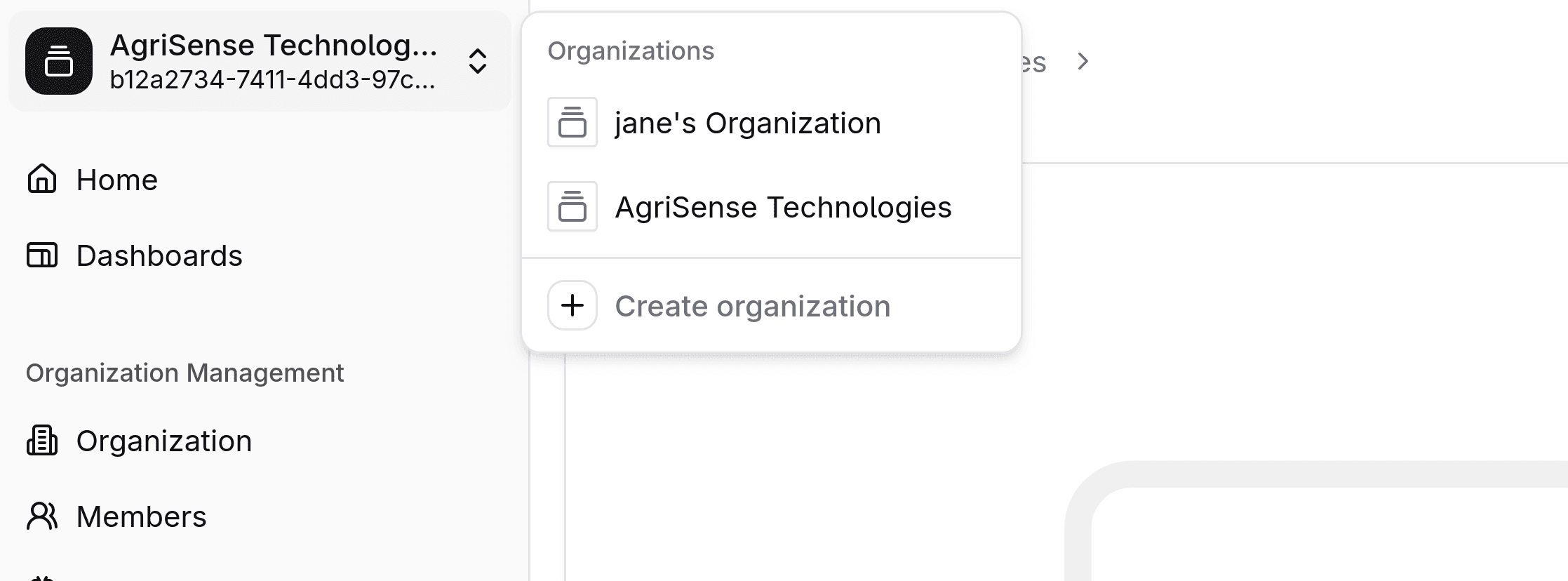
In Gridsense, you can find the organizations that you are a member of by clicking on the organization switcher on the top of the sidebar. A popup will be shown with a list of all the organizations that you are a member of, as well as a button to create a new organization. If you are not a member of any organizations, the organization switcher will be replaced by an outlined button to create an organization.
Creating an organization
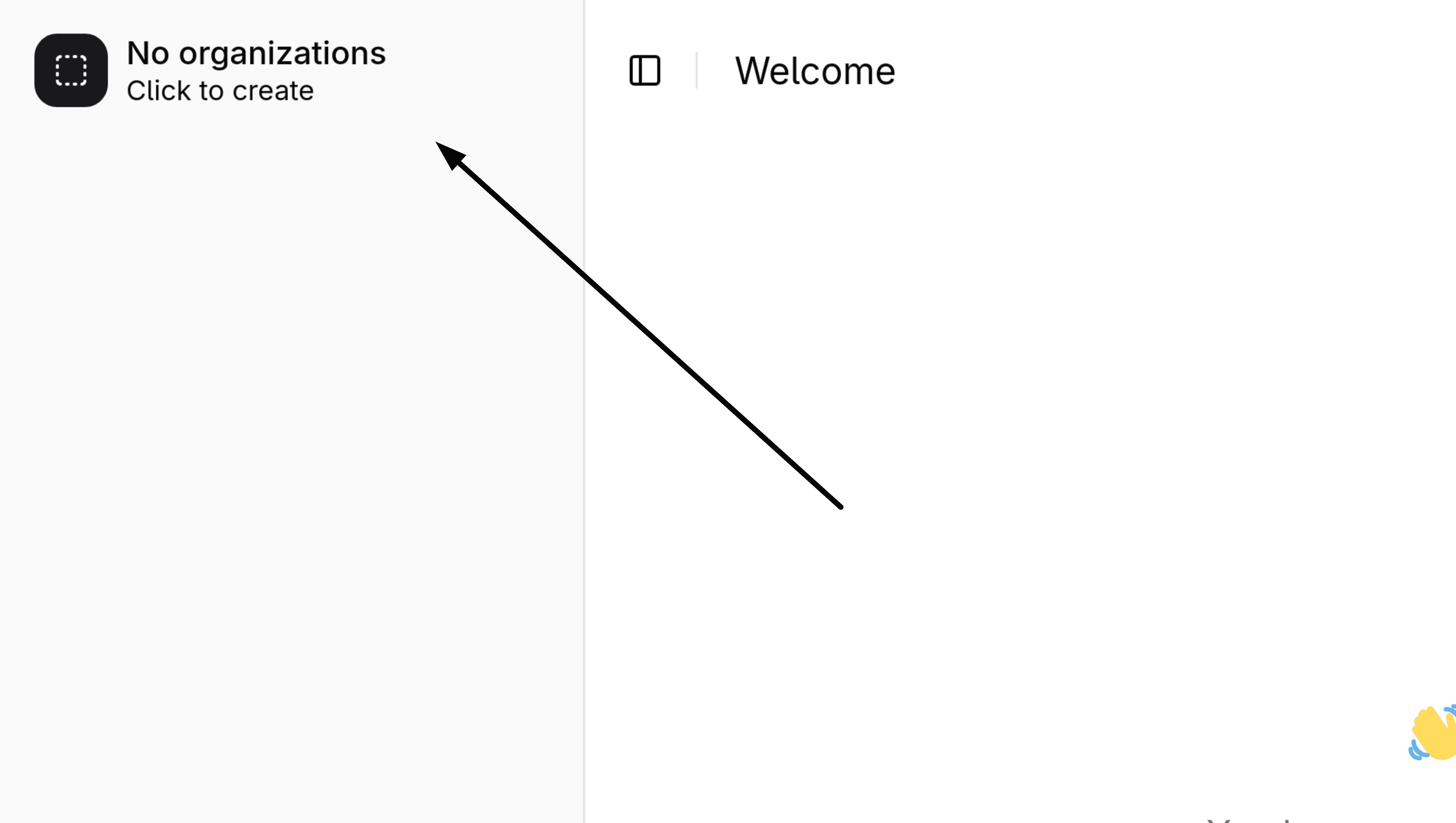
If you are not a member of any organization, a button with a dashed outline will be shown on the top of the sidebar, prompting you to create an organization. If you are already a member of one or more organizations, click on the organization switcher to show the "Create organization" button.
You will need to fill out the following fields:
| Field | Description | Example |
|---|---|---|
| Name | the display name. Does not have to be unique and can contain spaces. | My Organization |
| Route | a unique identifier. Must be unique and cannot contain spaces. | my_organization |
The organization's route can be used in place of its , providing a user-friendly and human-readable identifier that's easy to memorize.
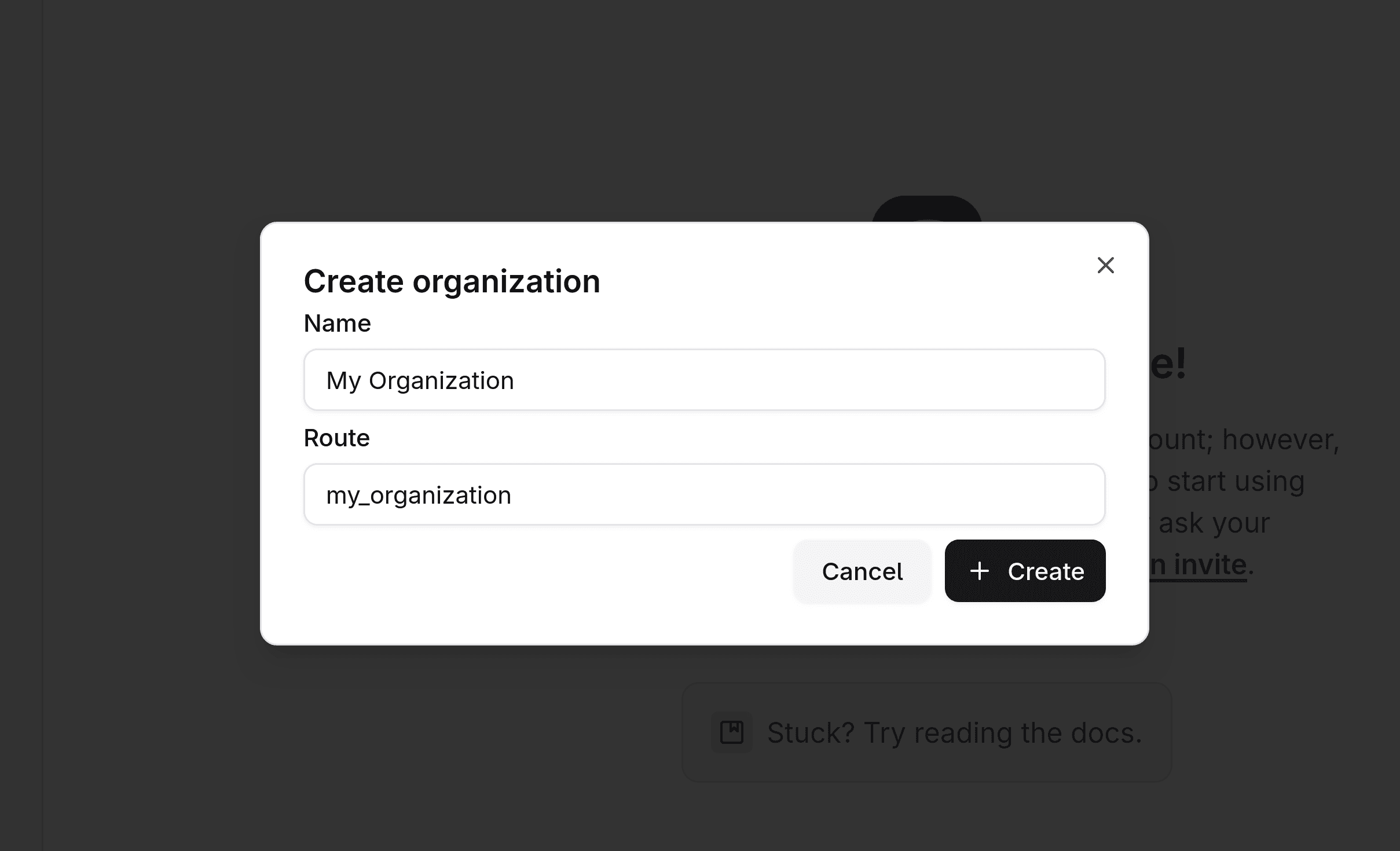
Click "Create" once you are done. You have now created your first organization! Next steps would be to invite other users, provision devices and channels, and more.
Joining an organization
Most likely, an organization had already been created by someone in your company/team and you will not need to create another one. You can join that organization after you receive an invite from someone in that organization.